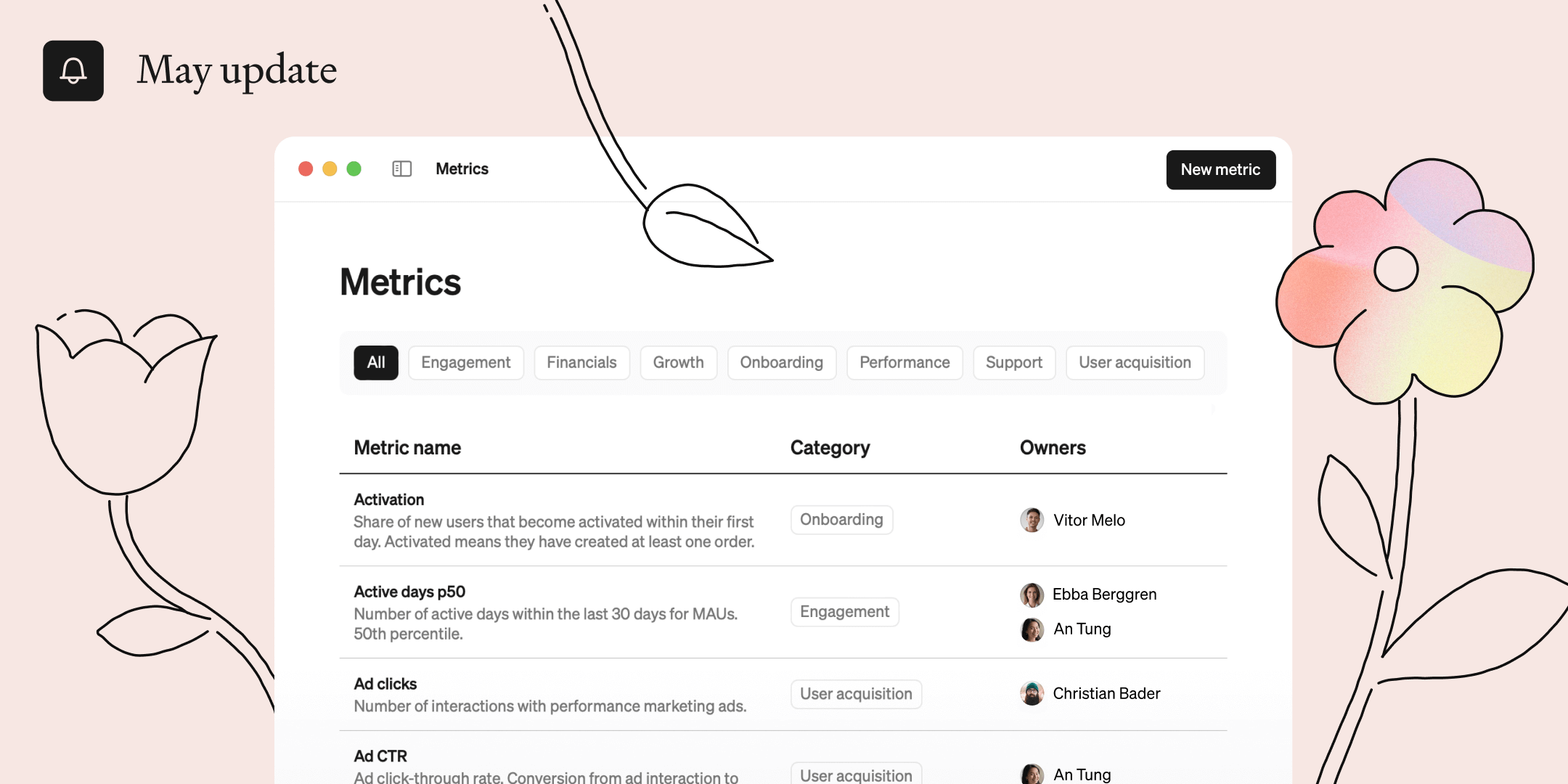
This month we are introducing new ways of bringing order to your metrics and more flexibility defining metrics with joins. Read on for more.

Get organized!
No more separate stale documentation for your metrics. You can now document your metrics and explore them in the same place. The new metrics catalog allows you to describe and categorize all of your metrics, and make it easy for everyone in the organization to explore and use them directly.
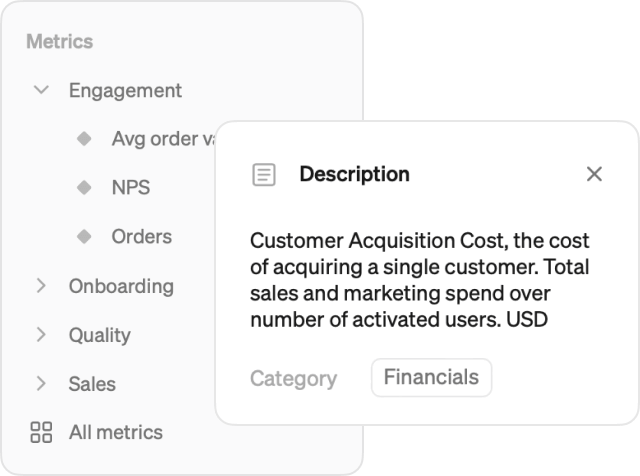
Categories
Use categories to keep your metrics in order.
- Change and edit categories directly from the metrics catalog
- Categories are also used to tidy up the menu and help you navigate large metrics catalogs with ease

Owners
Distribute responsibility by setting metric owners.
- Assign one or more people to each metric
- Start maintaining your definitions in a scalable way
Joins
Also new this month is the ability to use joins in Steep. This gives you the flexibility to use your tables just as they are. Define them once using our simple interface and use them anywhere. No code required.
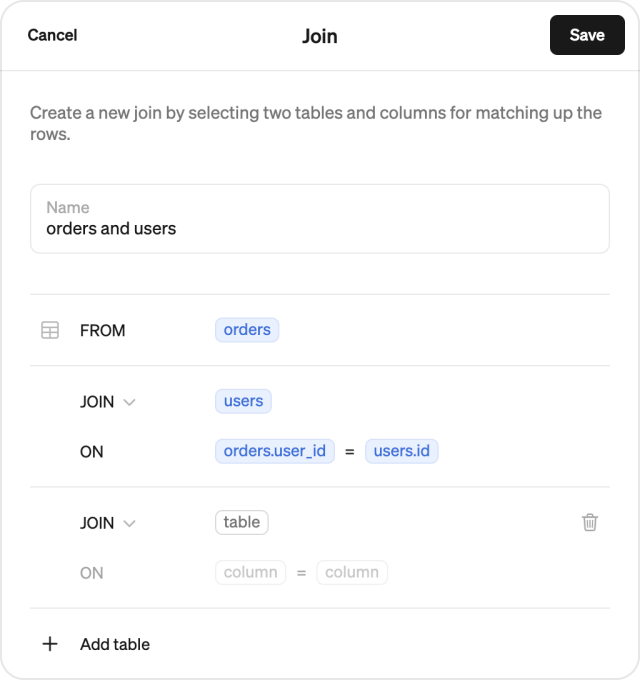
Define
Head over to the new Tables & joins section in Settings and hit Create new join. Create any type of join across multiple tables in a familiar format. Steep will then suggest a nice readable name for your join.
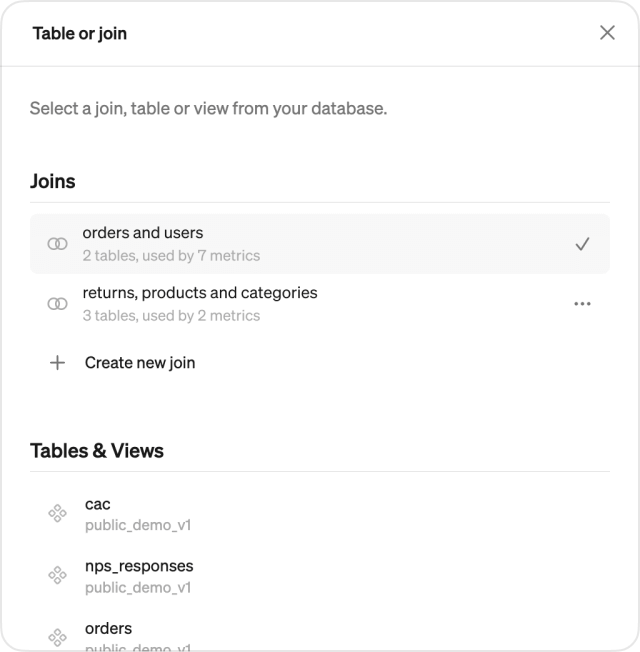
Using joins
To use a join, create or edit a metric and choose a Table. This lists both your joins as well as tables and views. You can even create or manage joins directly from here. After selecting a join, you can use all your new columns as values, dimensions or filters in your metric.

Athena support
Support for Athena has arrived. Connect your AWS Athena instance and start crunching all that S3 data.
Book a demo
Get help with exploring the platform and discussing use cases for your team.
Get started
Explore for free. Get your own workspace or try the demo setup.
More posts

Intro to Steep
By Janna Pollari·Events

Webinar with Daana
By Janna Pollari·Events

Meet us at Snowflake Summit 2026
By Deanne Anderson·Events

Introducing Steep AI
By Nino Höglund·Product

A builder's guide to the Steep API
By Hanna Kjellén·Inside Steep

New in Steep: API – Metrics power anything
By Nino Höglund·Product