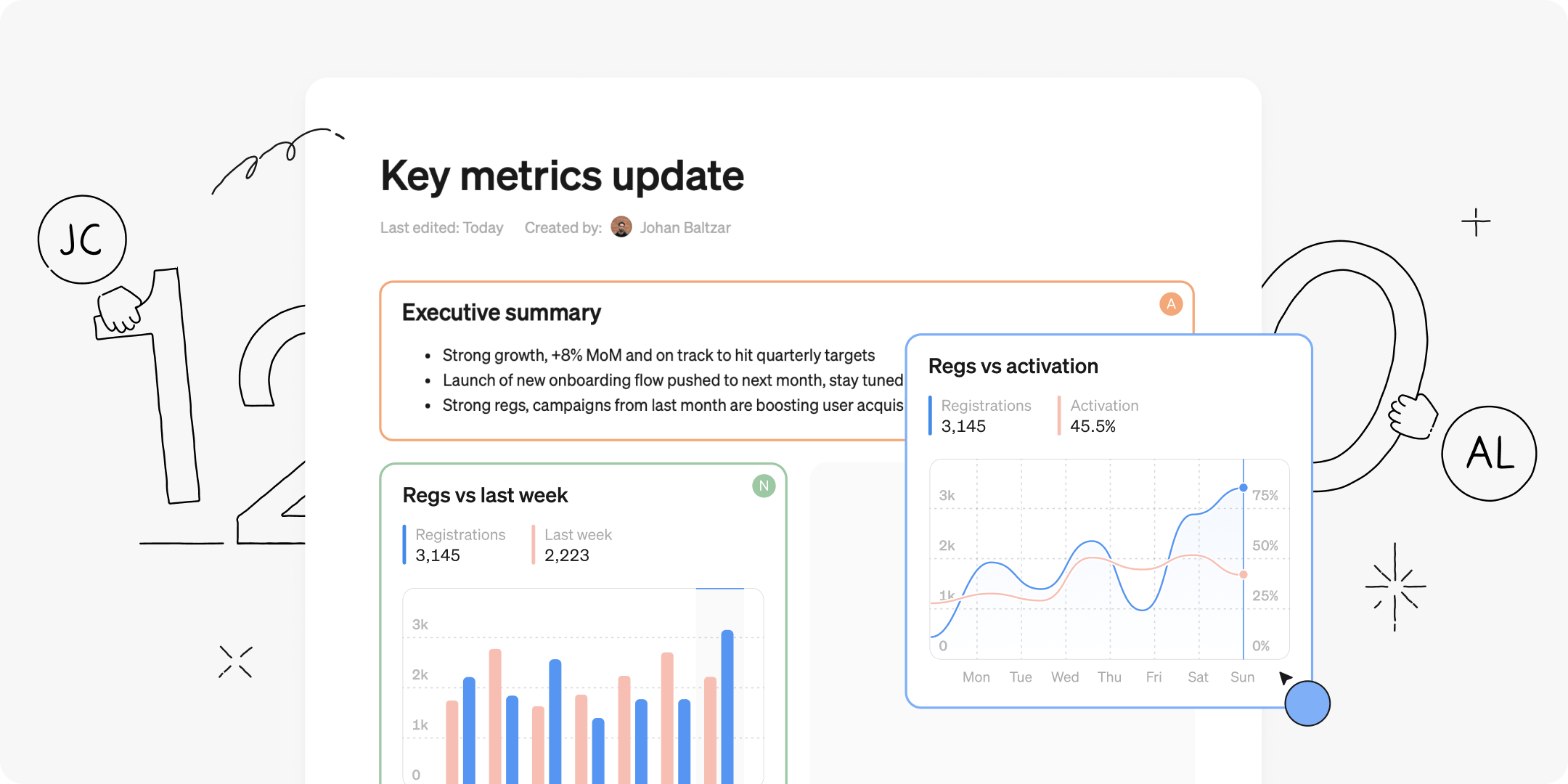
The other day Janne, one of the developers on the team, turned around and said - oh I just got totally mixed up, I thought I was in Notion but I was actually in Steep!

And yes, it’s true, the reports in Steep will feel very familiar if you’ve spent some time in Notion - with blocks and drag-and-drop and whatnot. But in our defense, I will say we ended up there by working our way up from first principles.
Hear me out. First, working on a semantic layer frees up Steep to be available to all roles, and everything you can do in Steep should be intuitive for any user. So when it came to creating content we knew we had to raise the bar from the existing BI paradigm where, up until now, you would need specialists to create dashboards for everyone else.
Instead we wanted an experience that made it easy for anyone to create a good-looking piece of content in 5 minutes. And be flexible enough to create monthly reporting, serious analysis, even board decks.
Here’s how we worked our way through it.
Blocks and two-column layout
At its core, we wanted to enable combining charts, tables and text to create whatever content you need. Traditional dashboards with a 2d-grid is a mess to use, but a two-column layout hits that sweet-spot of just enough flexibility while always looking good. And then our different kinds of content can be neatly encapsulated in blocks.
Chart blocks
The reason why you’re in Steep in the first place - having access to the full metrics catalog and be able to flexibly whip up any visualization. The design team was adamant that you had to be able to create charts in context, so we put the entire powerful Explore view in a modal, and now throwing together a bunch of charts is as smooth as butter.
Text blocks
We wanted text to be on equal footing to charts, which meant headings, bullet lists, italics, and everything we’ve been spoiled with from great workplace tools.
Drag-n-drop
And once you have blocks, you gotta have drag-n-drop. The six-dot drag handle is such an engrained UI pattern now for most of us. Enough so that you don’t have to think about anything, it just works as expected.
Multiplayer
If more users are creating reports, then you will want to collaborate, and invite folks to review the work. So creating a sense of presence, and highlighting which blocks other users are editing would be really useful.
Yeah ok, we now understand how the Notion team ended up where they are. We are of course big fans of that product over here, and believers in the principle that great workplace tools should feel intuitive, familiar and respect your time.
Give Steep reports a go, and experience the future of BI, that feels just like it should.
Book a demo
Get help with exploring the platform and discussing use cases for your team.
Get started
Explore for free. Get your own workspace or try the demo setup.
More posts

Intro to Steep
By Janna Pollari·Events

Webinar with Daana
By Janna Pollari·Events

Meet us at Snowflake Summit 2026
By Deanne Anderson·Events

Introducing Steep AI
By Nino Höglund·Product

A builder's guide to the Steep API
By Hanna Kjellén·Inside Steep

New in Steep: API – Metrics power anything
By Nino Höglund·Product