
Steep AI introduces a new way to analyze in Steep, helping teams move from question to answer faster while staying grounded in the semantic model defined by your data team.

The shift to AI analytics
For years, getting data into the hands of the business has been a challenge for data teams.
But in the AI era, access alone isn’t enough. Teams need the speed, flexibility, and depth of AI, but in an environment that stays trusted and grounded in the right business context.
Steep AI solves that problem.
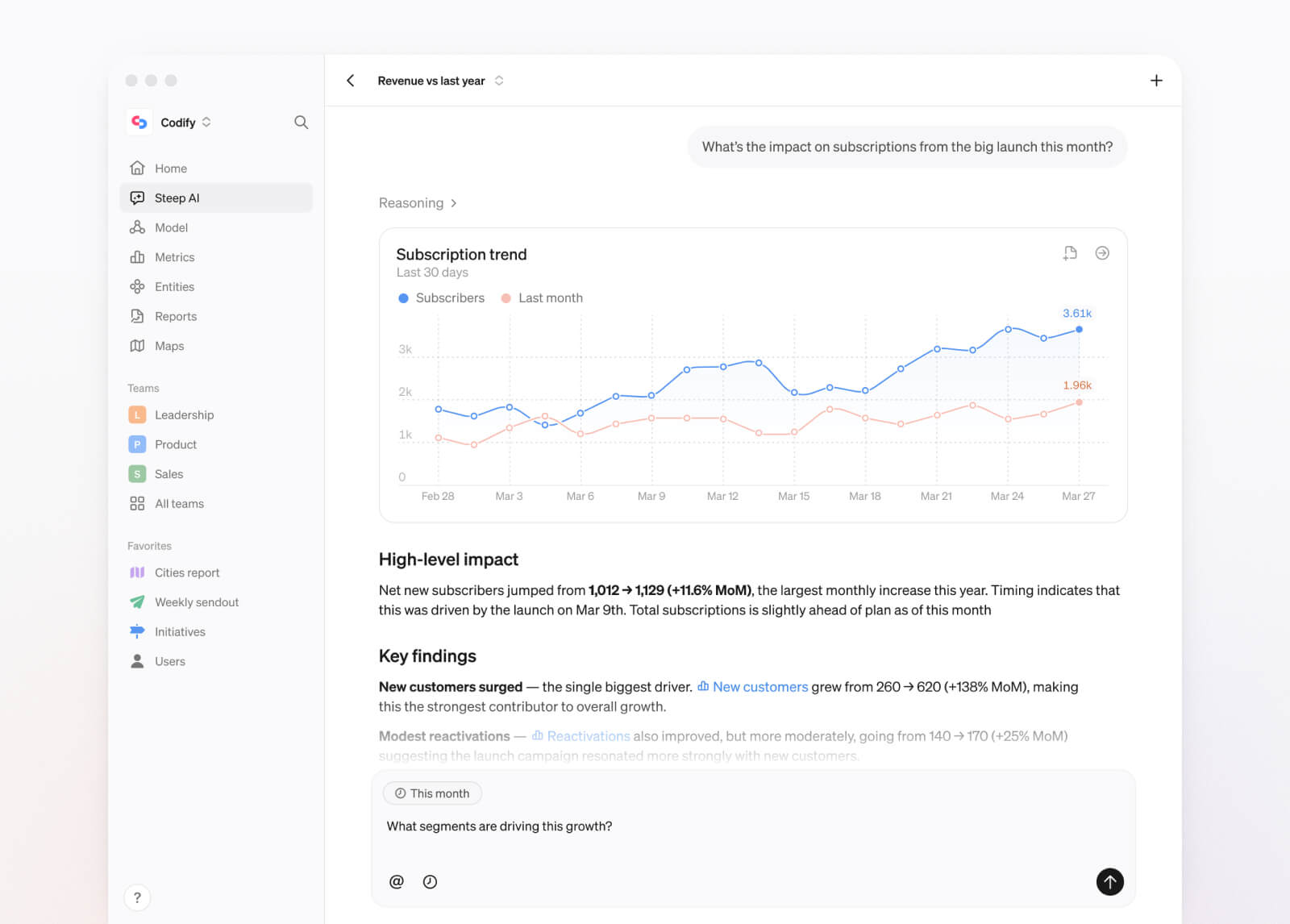
Real analysis, not just answers
Built on top of your semantic model, the Steep agent gives teams a fast, powerful way to do analysis in natural language. It can connect metrics and dimensions, compare segments and time periods, and return clear answers grounded in the business logic your data team has defined.
-
Ask complex questions in plain language and refine the answers in the same conversation.
-
Explore your catalog using all metadata and descriptions available.
-
Get deep analysis using the full context of your semantic model, with the Steep agent combining multiple metrics and breakdowns for real insights.
Built into your workflow
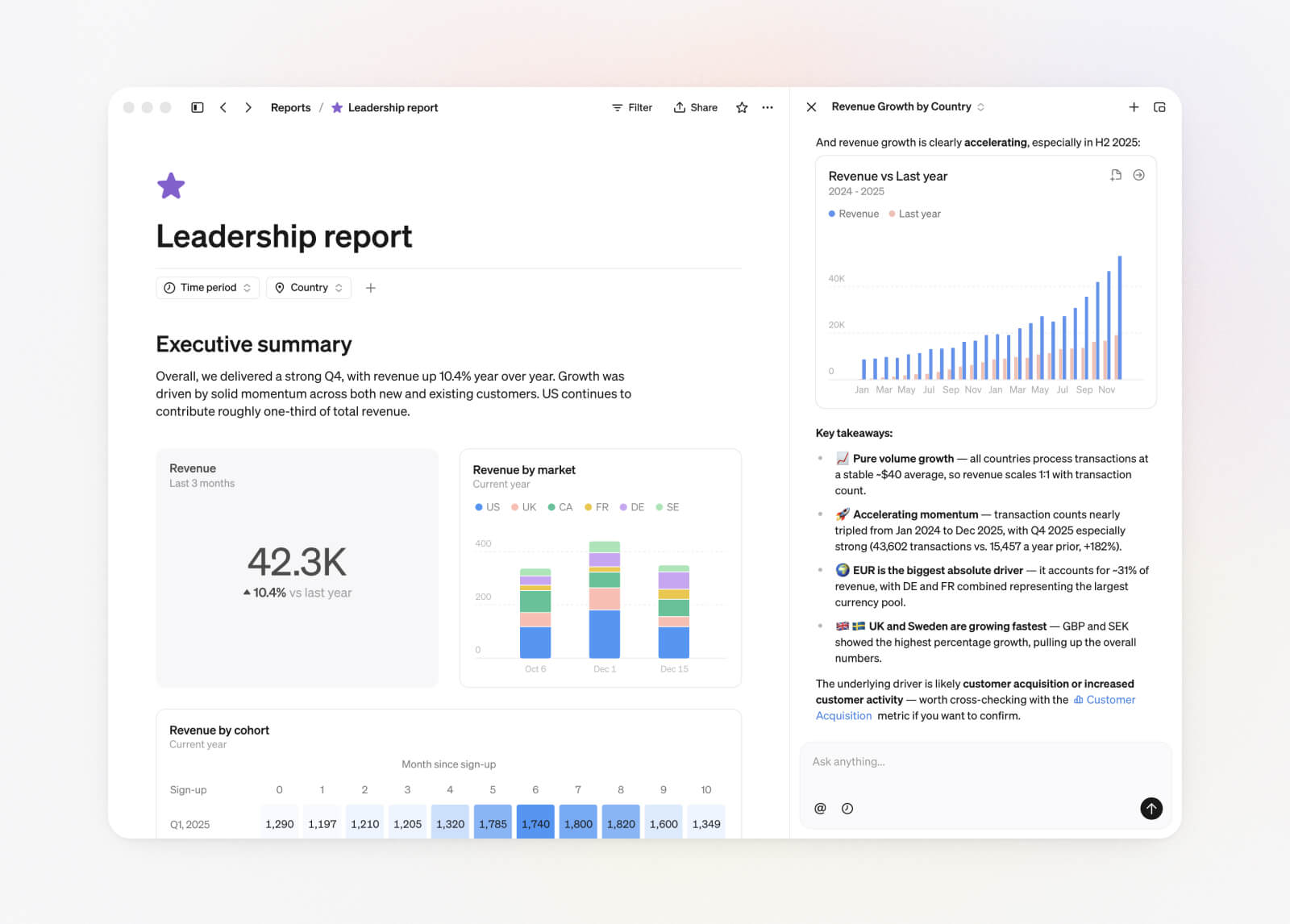
Steep AI is available across Steep on desktop and mobile. Use it in full-screen for focused analysis, or open it alongside the UI from anywhere in the app. Your conversations stay with you as you move through Steep and sync across devices.
Explore and save
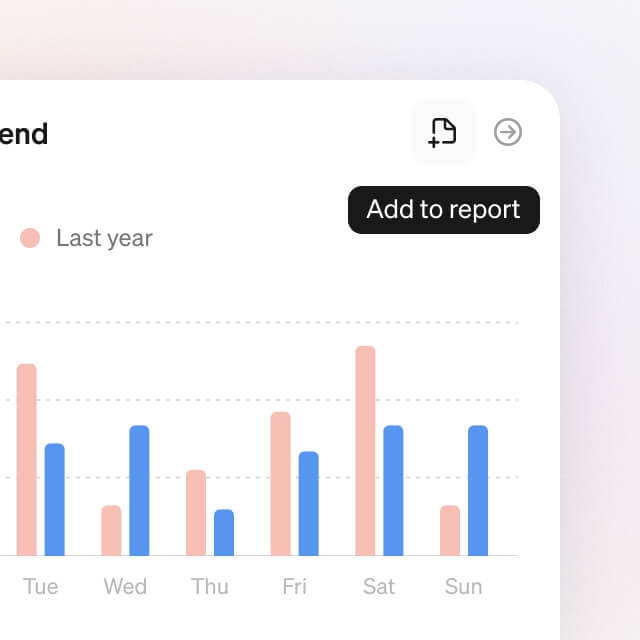
Charts created by the Steep agent can be opened in Explore for deeper analysis, or added directly to Reports when you are ready to save or share.
Context
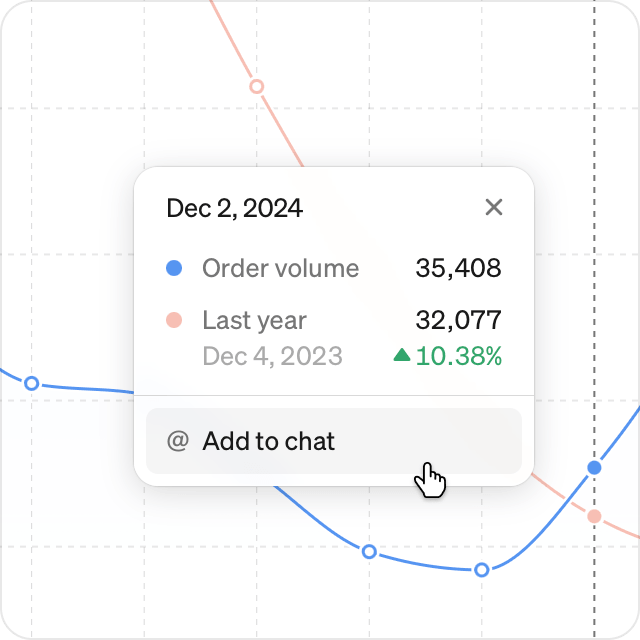
Add context directly to the chat for a metric or a time range. Send context from an existing chart through the tooltip, helping the Steep agent return faster and more relevant answers.
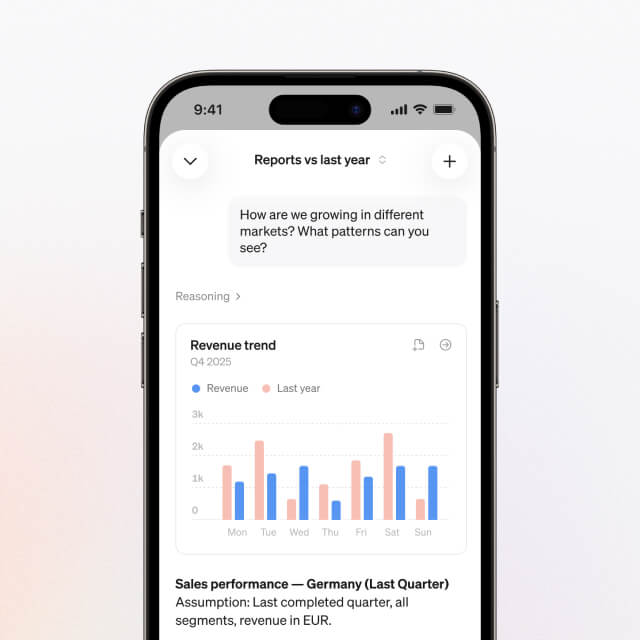
Mobile
All Steep AI functionality is available in our mobile app. Conversations sync across devices, so deep AI analytics is always at your fingertips.
Webinar: How to introduce AI analytics across your company
Watch our online session to see Steep AI in action and learn how to introduce AI-driven analytics across your organization.
Designed for trust
The Steep agent runs on your semantic model and trusted metric definitions, so answers stay consistent, reliable, and aligned across Steep.
To make that trust visible, Steep AI includes built-in features that help users understand what answer they are seeing and why.
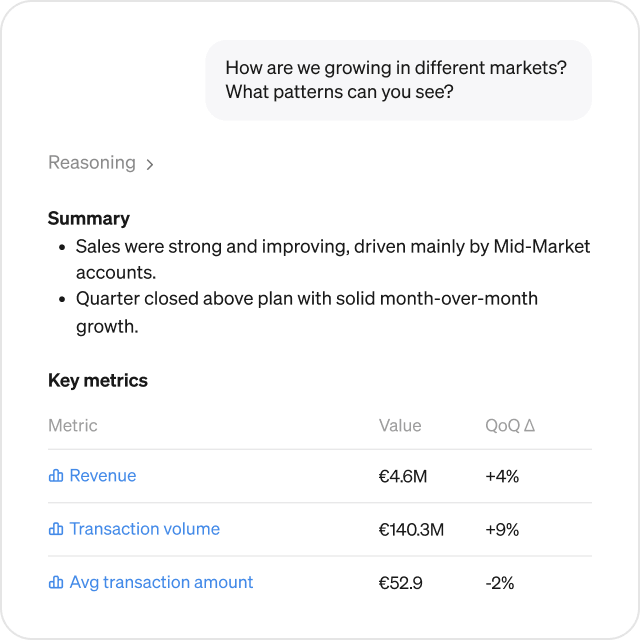
Links to metrics
The Steep agent links directly to the metrics it references, so users can open them in Explore and inspect them further.
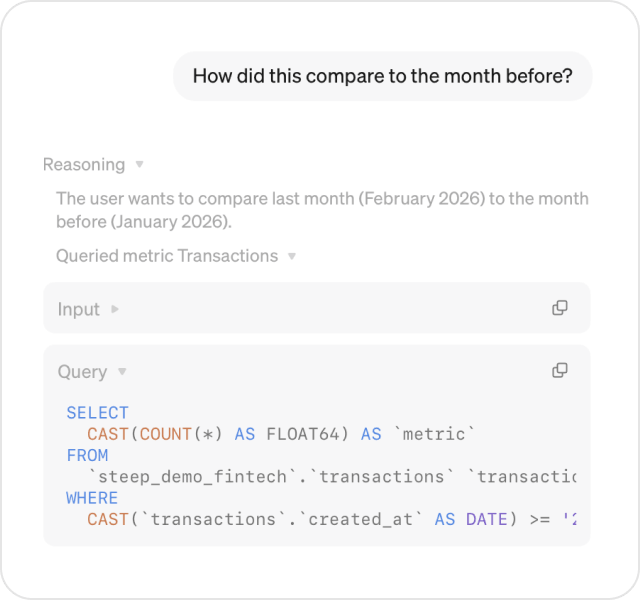
Reasoning
Expand the reasoning behind any answer to understand how the Steep agent arrived at the result.
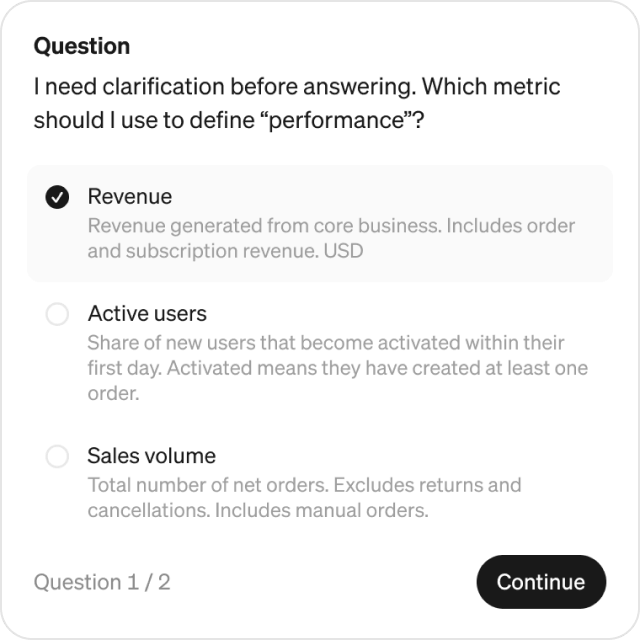
Clarifying questions
When a question is too ambiguous, the Steep agent asks clarifying questions before generating an answer.
Scale across your organization
Steep AI is built to scale across the organization, maintaining high performance while the data team stays in control.
-
Shared cache and permissions: Steep’s cache keeps answers fast and reduces unnecessary queries to the database, while users access only the data they already have permission to.
-
Fast responses: We’ve built Steep AI to respond quickly, even on large data models.
-
Open and modular: Teams can already build custom agents using our API, with more to come.
Availability and pricing
Steep Agent is now available for all paying workspaces. During the coming months, all functionality is available at no additional cost, within reasonable usage.
Later this year, we expect to include AI functionality in your package, with a credit amount based on the number of seats, and usage-based pricing beyond that threshold. We'll provide clear advance notice before any pricing changes take effect.
Get started
-
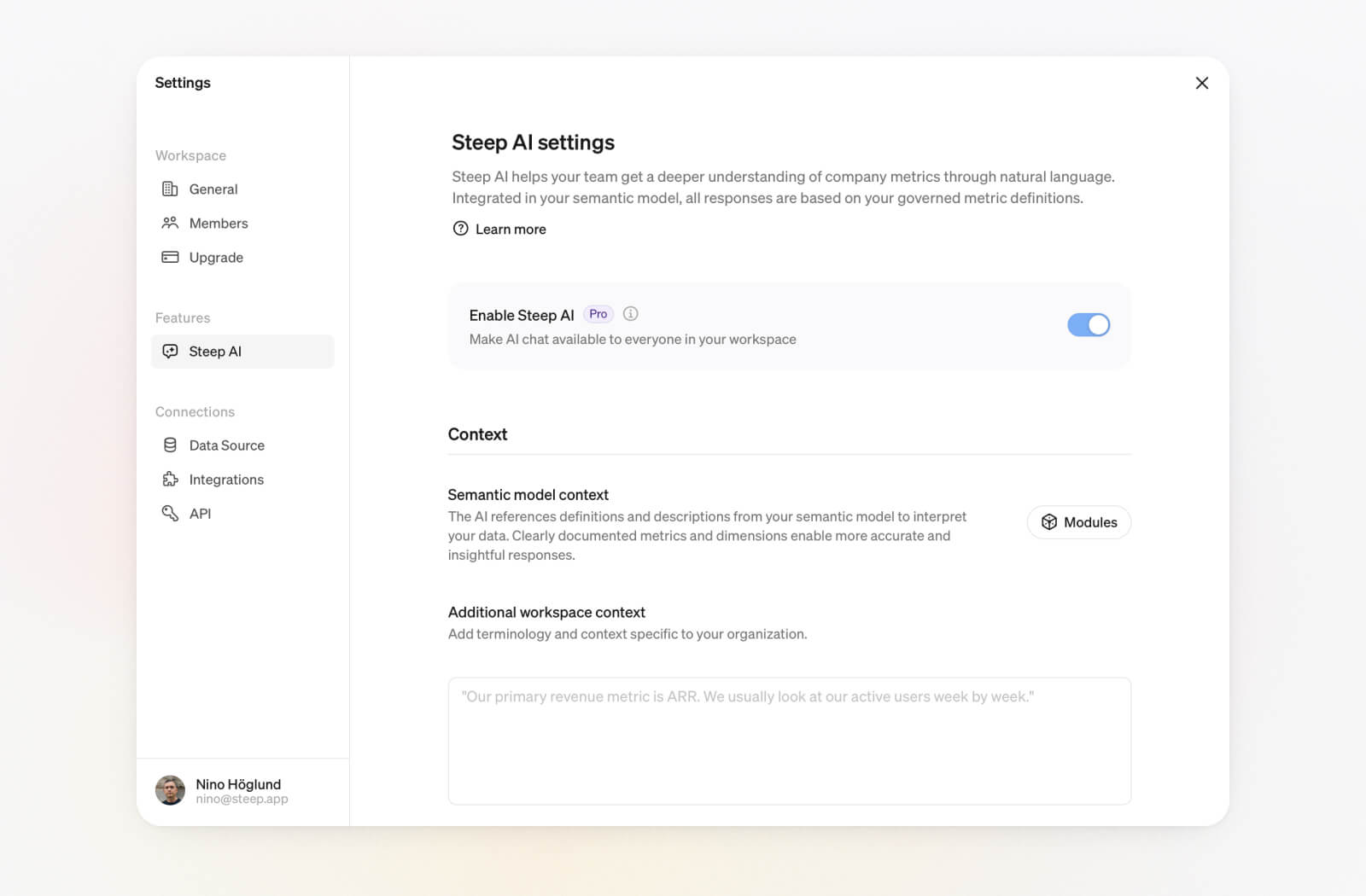
Pro, Business and Enterprise plans: Steep Agent is included on all paid plans at no additional cost for reasonable usage. A workspace admin can enable it for the entire workspace in Settings → Steep AI.
-
Free plan: Want to try Steep AI on the free plan? Email hello@steep.app and we’ll help you get started.
-
New to Steep: Create a workspace and start building your semantic model. Once your metrics are in place, you can turn on Steep AI and make it available across your workspace.
Book a demo
Get help with exploring the platform and discussing use cases for your team.
Get started
Explore for free. Get your own workspace or try the demo setup.
More posts

Intro to Steep
By Janna Pollari·Events

Webinar with Daana
By Janna Pollari·Events

Meet us at Snowflake Summit 2026
By Deanne Anderson·Events

A builder's guide to the Steep API
By Hanna Kjellén·Inside Steep

New in Steep: API – Metrics power anything
By Nino Höglund·Product
Define in code
By Nino Höglund·Product