Inside Steep

A builder's guide to the Steep API

In this blog, I'll share a developer's perspective on what the new API enables, my learnings from experimenting, and some practical tips and use cases for getting started.

Hanna Kjellén
Hanna KjellénJanuary 28, 2026

The problem: business logic is scattered

In most organisations, business logic is fractured. Some of it lives in dashboards that don't quite agree, lives in internal tools, scripts, and one-off integrations, each quietly re-implementing business logic in its own way. Even with the best intentions, numbers start to drift over time.

Steep already solves this problem for analytics. By centralising definitions in one semantic model, all numbers stay consistent, understandable, and easy to govern.

With the Steep API, that same semantic model is now available beyond the app itself. Internal tools, custom workflows, and integrations can query data using the same trusted definitions your analysts already rely on.

What the Steep API unlocks

As of writing this post, we've just released the first version of the API which lets you:

  • Execute queries using your established business language, instead of SQL.
  • Browse metrics, dimensions, entities, and other parts of your semantic model programmatically.
  • Power custom apps, tools, notebooks, agents, automation, etc.

Making your first metric call

Let's get started with a simple example. Inside the Steep app, open up Settings → API, and generate an API key. For now, we'll only need the “Read metrics” and “Query metric data” scopes, but feel free to pick as many as you feel might be useful.

💡 API keys can't be edited, and the key itself will be encrypted and never shown to you again in the UI, so make sure to save it. More details can be found in the help center.

Let’s start by listing the metrics available in your semantic layer. To authorize the request using the API key, set the Authorization header to your API key prefixed with ApiKey . I’ll use curl in the command line for these examples, but the same principles apply when calling the API programmatically.

curl https://api.steep.app/v1/metrics \
-H "Authorization: ApiKey <Your API key>" \
-G

You should receive a response that follows this structure.

{
 "cacheTtlInSeconds": 14400,
 "refreshedAt": "2026-01-15T10:13:35.994Z",
 "sql": "SELECT
 SUM("orders"."order_amount")::float8 AS "metric",
 DATE_TRUNC('month', "orders"."order_date")::date AS "time"
FROM
 "public"."orders" "orders"
WHERE
 "orders"."order_date"::date >= '2025-01-01' AND "orders"."order_date"::date <= '2026-02-01'
GROUP BY
 2
ORDER BY
 2",
 "total": 13,
 "data": [
   {
     "time": "2025-01-01T00:00:00.000Z",
     "metric": 35285
   },
   {
     "time": "2025-02-01T00:00:00.000Z",
     "metric": 97407
   },
   ...
 ]
}

💡 Many fields will be returned as null, because by default, joined resources such as dimensions, modules, slices, etc. aren’t resolved. If you want the full details of your metrics, add expand=true as a query parameter.

Now let’s pick a metric and run a query. This time, it’s a POST request with a JSON body. Make sure to pick a timeGrain supported by the metric definition, and include a fromDate and a toDate.

curl https://api.steep.app/v1/metrics/<Your metric ID>/query     
-H "Authorization: ApiKey <Your API key>"  
-H "Content-type: application/json"  
-d '{"timeGrain":"monthly","fromDate":"2025-01-01T00:00:00.000Z","toDat

You should receive a response that follows this structure, with one data point for each month. Note that the generated SQL is also included, which makes it easy to debug and understand exactly what is being executed against your data source.

{

"cacheTtlInSeconds": 14400,
"refreshedAt": "2026-01-15T10:13:35.994Z",
"sql": "SELECT
SUM("orders"."order_amount")::float8 AS "metric",
DATE_TRUNC('month', "orders"."order_date")::date AS"time"
FROM
"public"."orders" "orders"
WHERE
"orders"."order_date"::date >= '2025-01-01' AND "orders"."order_date"::date <= '2026-02-01'
GROUP BY
2
ORDER BY
2",
"total": 13,
"data": [
 {
   "time": "2025-01-01T00:00:00.000Z",
   "metric": 35285
 },
 {
   "time": "2025-02-01T00:00:00.000Z",
   "metric": 97407
 },
 ...
]
}

Now, go build

Now that you have the data, it’s up to you to decide what to do with it. The sky is the limit.

Want to set up a leaderboard and rank everyone in the team based on how much the company’s revenue has increased since they joined?

Easy: Get the join date from Slack → Query the revenue metric between those specific dates and now → Sort and compare in a list.

Are you managing a shopping center and want to see store performance overlaid on your custom indoor map?

Easy: Map store IDs to custom map locations → Query metrics with a breakdown on store IDs → Show results on the map.

In both cases, the metric logic is defined in the same semantic model, and every tool gets the same answer.

Learnings from real-world experimentation

But custom bespoke software must be really expensive and time-consuming to build, right? That’s not necessarily true, I was surprised to learn how straightforward it was and how little glue code was needed. Once the semantic model is there, most of the work becomes product thinking rather than data plumbing.

  • Set up a React app with a single command using a template (there are some in the official docs, bun has one, etc.)
  • Install some sort of type-safe fetch client (I used openapi-react-query, hooked up to https://api.steep.app/openapi/json)
  • Open up Cursor/Claude Code/ChatGPT and explain what you want the app to do. You might have to give it some pointers or help it along the way, but with access the full API schema, it’ll get surprisingly far on its own. The biggest issue I had was getting the colors to work 😅
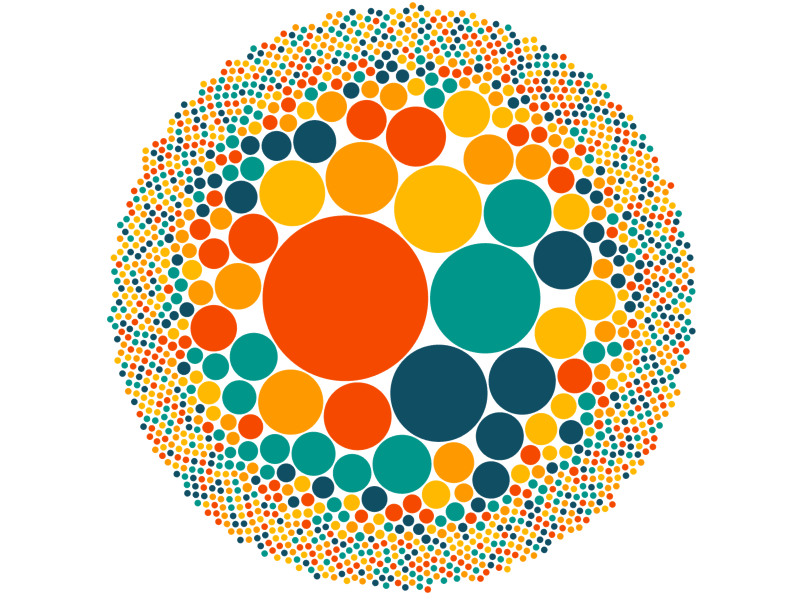
Active users

Active users by workspace. Quite evenly distributed.

Query volume

Query volume by workspace.
One of these is not like the others 🧐

Another experiment was this viz: Monthly order volume, displayed as dollar bills falling from the sky. Anything is possible.
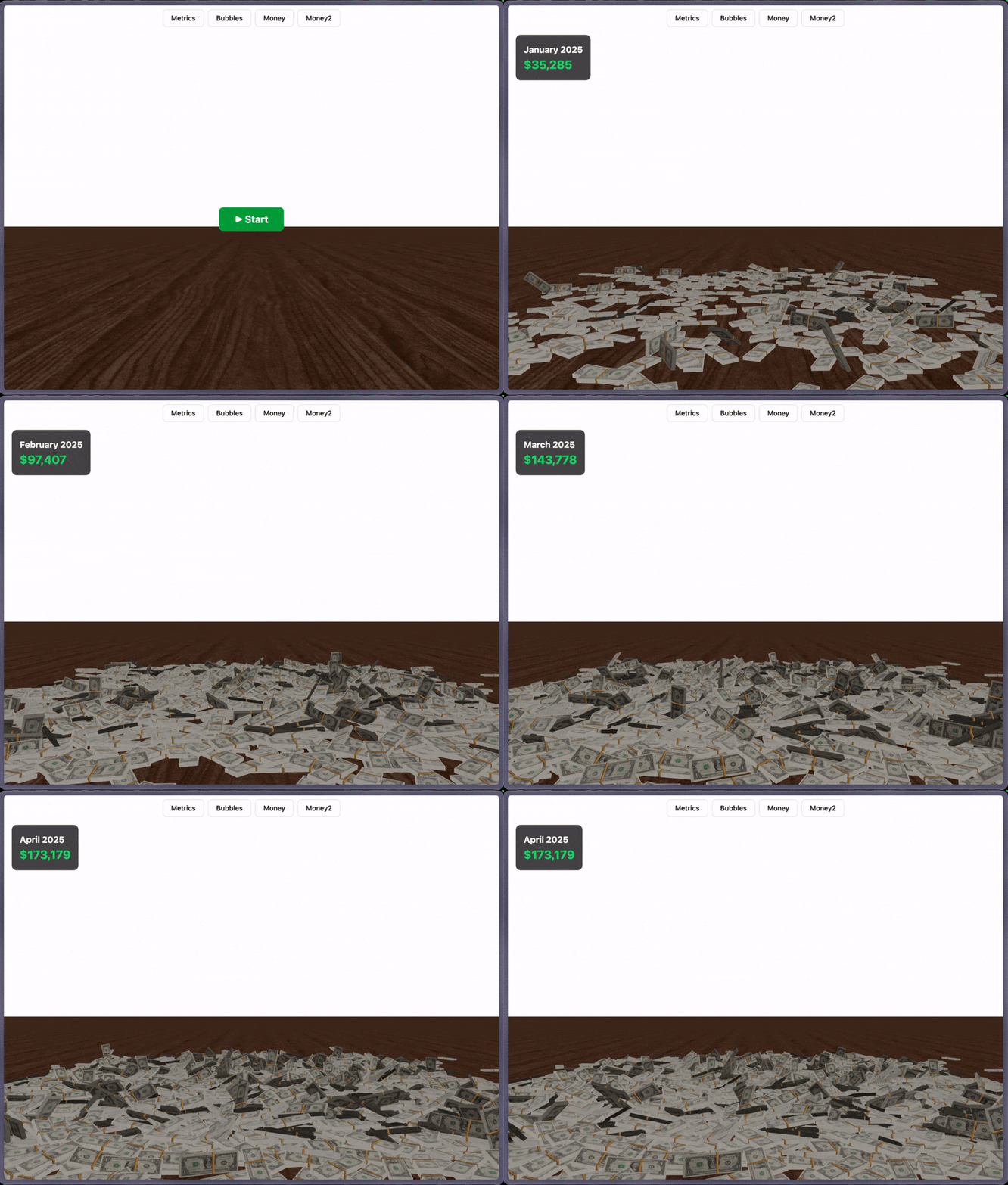
Monthly order volume

The roadmap ahead

This initial version of the API is only the beginning, and we’ll be expanding it over time.

We’re starting with read and query use cases, and plan to expand into write and management workflows over time. We want to ensure we’re heading in the right direction and are prioritising the right things, so don’t hesitate to reach out with your feedback and ideas.

Start building

The API has just been released for all users, and we’re excited to see what you’ll create with it. Head on over to the documentation to get started, and begin hacking away at your ideas and experiments today.

You can create a workspace here if you don't already have one.

Get a demo

Talk to us and see how Steep can help you.

Contact us →

Start using Steep now

Download one of our apps or launch Steep in your browser to get started.

App Store Google Play

More posts

Product update

New in Steep: API – Metrics power anything

Introducing the Steep API, a major release that expands your centrally defined metrics beyond Steep’s UI and into anything you build.

Nino HöglundJanuary 20, 2026
User story

From data-blind to insight-led confidence

Juni swapped out MetaBase to go metrics-first with Steep, giving all teams easy access to reliable data, cutting data requests by 70%, and transforming the data team into strategic advisors.

Janna Pollari
Product update

New in Steep: Define in code

We’re excited to release a game-changing update that takes the Steep experience to a new level. Define in code is a long-anticipated feature that gives data teams unmatched structure and flexibility.

Nino HöglundNovember 18, 2025
Semantic layer

5 key requirements for a successful semantic layer

The semantic layer is not a fad. It's the foundation for modern data teams. This blog will break down the requirements for a semantic layer, and share best practices on how to ace your implementation.

Johan BaltzarNovember 6, 2025
Event

Steep at Coalesce 2025

Steep is back as a sponsor at Coalesce by dbt Labs for the second year. On the 13-16 October, our team is returning to Las Vegas to connect with the data community and explore the latest in analytics.

Deanne AndersonOctober 7, 2025
Product update

New in Steep: More flexibility, better control

Our most recent updates improve comparing and exploring your data and gives the data team new tools for advanced configuration and governance.

Nino HöglundSeptember 18, 2025
Product update

New in Steep: Put your metrics on the map

We’re thrilled to introduce the newest feature in Steep – maps. Traditionally, maps were time-consuming to build, required a specialist and offered limited flexibility for end users. With maps in Steep, anyone can create rich, location-based visualizations in seconds – fully integrated with the semantic layer.

Nino HöglundJune 25, 2025
Product update

New in Steep: Sharper customization

This month's updates bump up table features and customization options, with new color schemes, full-width reports, and clearer value displays. These improvements give you more intuitive ways to explore and present your data in Steep.

Nino HöglundMay 30, 2025
Semantic layer

Dashboards are dead - 3 reasons to go metrics-first

How do you kill the dashboard monster? My weapon of choice is going metrics-first. Let me explain why with these three core concepts; abstraction, composability, and built-in consistency.

Johan BaltzarApril 15, 2025
User story

Fueling strategic data use across the business

Once Upon's data team was on a mission to bring end users closer to data. They helped transform analytics from a behind-the-scenes function to a driving force, making data accessible and easy to use for everyone.

Janna Pollari
Product update

New in Steep: 17 powerful upgrades

We've listened to our users and focused on small but mighty improvements that take your Steep-experience to the next level. Enjoy this month's product update with 17 improvements to Steep!

Nino HöglundApril 2, 2025
Product update

New in Steep: Smarter targets

Tracking performance against targets is an essential part of any business, but in most BI tools it's often complex and difficult to manage - especially for business users. Steep's metrics-first approach allows targets to be deeply integrated and effortless to manage.

Nino HöglundMarch 6, 2025
Product update

New in Steep: Semantic graph

Steep’s Semantic Graph gives you a complete overview of your data tables and their relationships, making it easier than ever to define join paths between them.

Nino HöglundFebruary 12, 2025
User story

Ditching dashboards for scalable analytics

With growing data demands from the organization, Voi Technology swapped dashboards in Tableau for Steep’s metrics-first BI to boost engagement, enable data-driven decisions, and cut costs.

Janna Pollari
Product update

New in Steep: Entities

We're excited to introduce a game-changing addition to Steep's semantic layer. Entities unlock the power of row-level insights, giving you the tools to go beyond metrics and explore the granular details that drive your business.

Nino HöglundDecember 17, 2024
User story

Data made accessible with intuitive BI

Bounce was searching for a tool to centralize its data capabilities and empower all employees with an easy-to-use data and analytics tool. Here's why they chose Steep.

Janna Pollari
User story

Why Pyne chooses Steep for data-driven clients

We talked with Emilio Biz, a data consultant at Pyne, to learn about his experience setting up and rolling out Steep for his e-commerce clients, and why they opt for Steep when choosing a BI tool.

Janna Pollari
Product update

New in Steep: Slack Subscriptions

We know it’s crucial for you to keep your company engaged and up-to-date on the latest insights while being smart about your time. So, we’re happy to introduce Slack Subscriptions, allowing you to seamlessly automate the delivery of reports to your team’s favorite workspace communication tool, Slack.

Nino HöglundOctober 29, 2024
Data culture

3 powerful ways to use pivot tables

There are fancier analysis techniques out there, but nothing beats a good pivot table for the sheer amount of insights you can get out of it. As a bonus, it’s easy to understand for large audiences, so it will make your insights pop. Adding a heat map is where the magic happens. Here are 3 powerful ways to use pivot tables:

Johan BaltzarSeptember 25, 2024
Event

Join Steep at Coalesce

We're excited to share that this year at Coalesce, we’ll be attending, hosting a talk, and having our own booth. Find all the details below. Can’t wait to see you there!

Deanne AndersonSeptember 20, 2024
Product update

New in Steep: Reports Personalized

This month, we've rolled out a number of updates designed to take Steep reports to the next level, making them more powerful and fully customizable to suit your needs.

Nino HöglundSeptember 18, 2024
Product update

New in Steep: AI Chart Builder

Steep is on a mission to make data more useful, simple and enjoyable for everyone. This month, we’re excited to introduce the AI Chart Builder, a new intuitive way to explore and analyze metrics.

Nino HöglundJuly 8, 2024
Announcement

The next chapter for Steep

We're excited to share that Steep has raised €4 million in a seed funding round led by Connect Ventures, along with existing investor Inventure and participation from Alliance VC, Antler, and Greens.

Johan BaltzarJuly 3, 2024
Product update

New in Steep: Streamline your workflow

Our latest product updates are designed to simplify your workflow and make everyday tasks a breeze. Here’s how we’re addressing your most requested improvements:

Nino HöglundMay 16, 2024
Product update

New in Steep: Cohorts

This month, we’re excited to introduce cohorts! What was previously reserved for experts can now be built by anyone. Track how different groups of users behave over time and easily spot patterns in our latest visualization update.

Nino HöglundApril 16, 2024
Product update

New in Steep: You asked for it!

For our second update this month, we’re launching several requested improvements to make analysis even easier and more intuitive. These include keeping context when analyzing metrics, improved filters and active member tracking.

Nino HöglundMarch 17, 2024
Product update

New in Steep: Pivot tables, targets and more

This month we’re introducing pivot tables, upgraded targets and pinning reports to your home and team screens.

Nino HöglundMarch 1, 2024
Semantic layer

Targets & BI - How hard can it be?

TL;DR: Adding targets to your BI visualizations remains unreasonably hard. It frustrates your business controller peers while draining your team's time. Current approaches are essentially hacks and the time has come for a proper solution.

Johan BaltzarFebruary 25, 2024
Semantic layer

Why Semantic Layer is the next paradigm for BI

Unlike the modern data stack, BI hasn't evolved much in the last ten years. Here's why the Semantic Layer is the new paradigm we need to serve the data-driven companies of the future.

Johan BaltzarFebruary 12, 2024
Product update

New in Steep: dbt integration

We’ve teamed up with dbt Labs to bring you a complete semantic stack! With the new integration, you can now connect Steep to the dbt Semantic Layer via dbt Cloud. This lets you build your semantic layer with code in dbt Cloud and publish your metrics to all your end users in Steep.

Nino HöglundJanuary 22, 2024
Product update

New in Steep: Cube integration

We have partnered up with the good folks at Cube to bring you a powerful semantic combo. With the new Steep + Cube integration you can now connect Steep to an external semantic layer powered by Cube. Build your semantic layer with code in Cube, and publish your metrics to all your end users in Steep.

Nino HöglundJanuary 11, 2024
Product update

New in Steep: Filters in reports

This month, we're rolling out filters in reports, a powerful feature designed to add a layer of flexibility to your reporting experience.

Nino HöglundDecember 16, 2023
Data culture

Analytics for startups

If you're running a startup and thinking about your data setup - good news! Getting started is not that hard anymore, and you don't need a data specialist. This is how we did it at Steep.

Johan BaltzarNovember 25, 2023
Product update

New in Steep: Tables

This month, we’re introducing powerful and intuitive tables that work like you expect in 2023.

Nino HöglundNovember 10, 2023
Data culture

When building a data culture - start with getting teams focused on impact

One of the big frustrations I’ve had as a data leader is working with teams that are too busy shipping to care about impact and analysis. Here’s my approach.

Johan BaltzarNovember 2, 2023
Data culture

Why data leaders have the hardest job in tech

I’ve been an analytics leader three times over, and my friends - we sure didn't choose this job because it’s easy!

Johan BaltzarOctober 27, 2023
Product update

New in Steep: Search, caching and more

Wondering what we’ve been working on lately? Check out the latest updates below.

Nino HöglundOctober 9, 2023
Semantic layer

dbt MetricFlow - semantic layer 2.0

dbt is doubling down on the semantic layer and this time it’s serious.

Johan BaltzarOctober 3, 2023
Inside Steep

How we ended up building a Notion for data

The other day Janne, one of the developers on the team, turned around and said - oh I just got totally mixed up, I thought I was in Notion but I was actually in Steep!

Johan BaltzarSeptember 30, 2023
Product update

New in Steep: Next-level analysis

This month we’re introducing more ways to analyze, combine and visualize your metrics, all in one place.

Nino HöglundSeptember 16, 2023
Company update

The new Steep

The product has come a long way in two years, the mission remains the same.

Johan BaltzarSeptember 1, 2023
Product update

New in Steep: Reports reimagined

This month we are bringing you a whole new way to create, collaborate and communicate with data - introducing the new Reports.

Nino HöglundJune 17, 2023
Product update

New in Steep: Metrics catalog and joins

This month we are introducing new ways of bringing order to your metrics and more flexibility defining metrics with joins. Read on for more.

Nino HöglundMay 25, 2023
Product update

New in Steep: dbt integration and more

Steep has partnered up with dbt to provide a best-in-class metrics integration. But that’s not all. Read on for more exciting updates.

Nino HöglundApril 1, 2023
Product update

New in Steep: Team spaces, Help center

This month we are making it easier to grow with Steep using Team spaces, launching a completely new Help center, as well as adding a few nice visualization improvements.

Nino HöglundMarch 19, 2023
Product update

New in Steep: Demo mode, Mac app and much more

Trying out Steep is now easier than ever with the introduction of demo data. There are plenty of new features this month, so make sure you read to the end for a special treat 🍰

Nino HöglundFebruary 2, 2023
Product update

New in Steep: Rank, compare, custom templates

The year is coming to an end and we are wrapping up with a whole bunch of new features and improvements. Our focus has been on enabling even more teams to be able to use Steep as well as new ways of gaining insights from your data. A big thanks to all of you for this year! Let's get to the news.

Nino HöglundDecember 9, 2022
Product update

New in Steep: New edit mode, permissions

Early last month marked the public release of Steep. Thanks to everyone who signed up and got started so far. Please keep the feedback coming! We have not been idle in the meanwhile and there is a a whole bunch of news to share - so let's get right to it.

Nino HöglundNovember 16, 2022
Announcement

Announcing Steep

Im very glad to share the next step in our journey with Steep - announcing that we raised €1M pre-seed round co-led by Alliance and Inventure, and that today we are launching Steep to general access!

Johan BaltzarOctober 6, 2022
© Steep Analytics