
We know it’s crucial for you to keep your company engaged and up-to-date on the latest insights while being smart about your time. So, we’re happy to introduce Slack Subscriptions, allowing you to seamlessly automate the delivery of reports to your team’s favorite workspace communication tool, Slack.

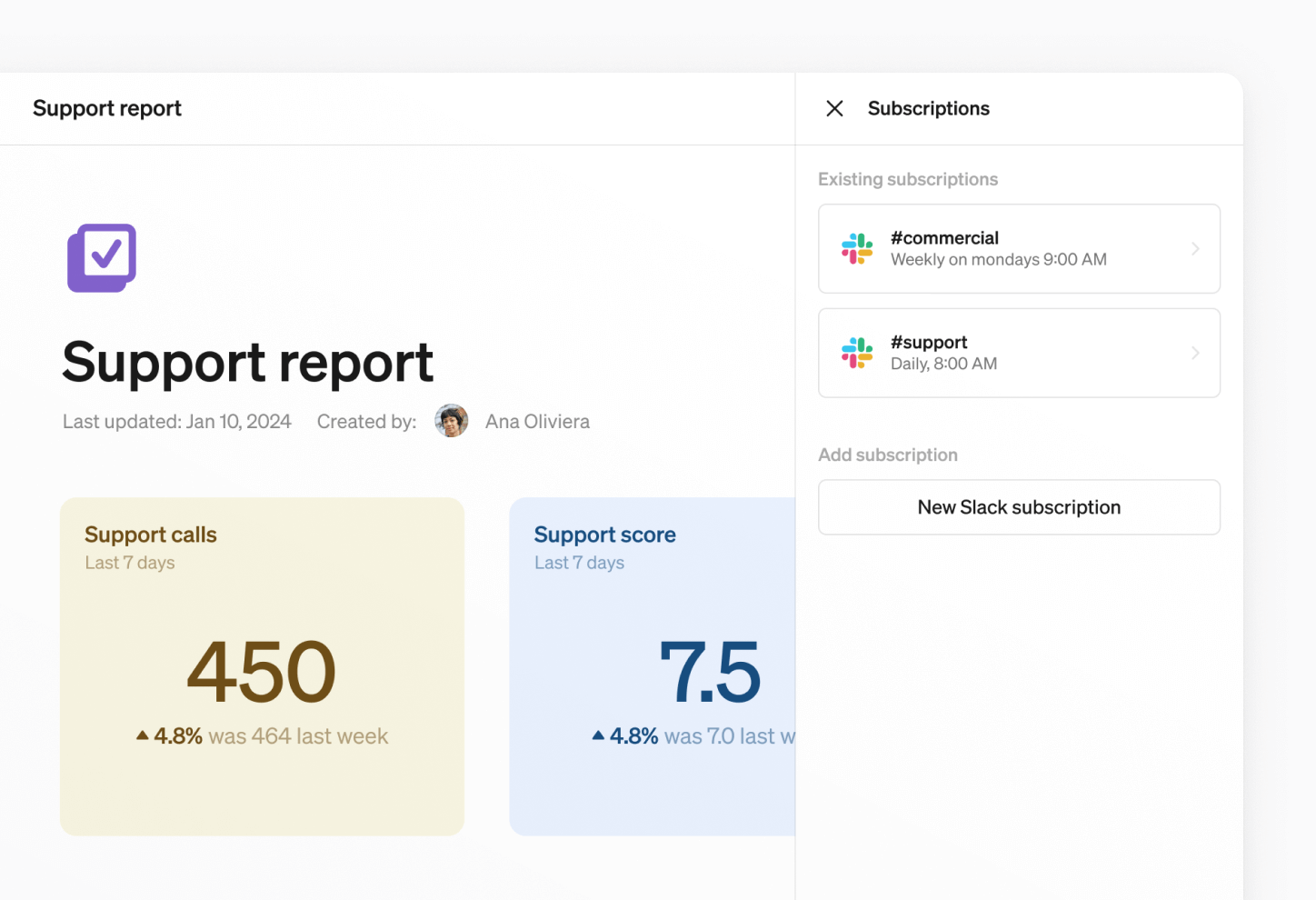
Introducing Slack Subscriptions
With our Slack integration, you can automate the delivery of key reports directly to your team’s Slack channels. Whether it’s a daily performance update, a weekly summary, or a monthly deep dive, your team will receive up-to-date PDFs and live report links right where they already collaborate.
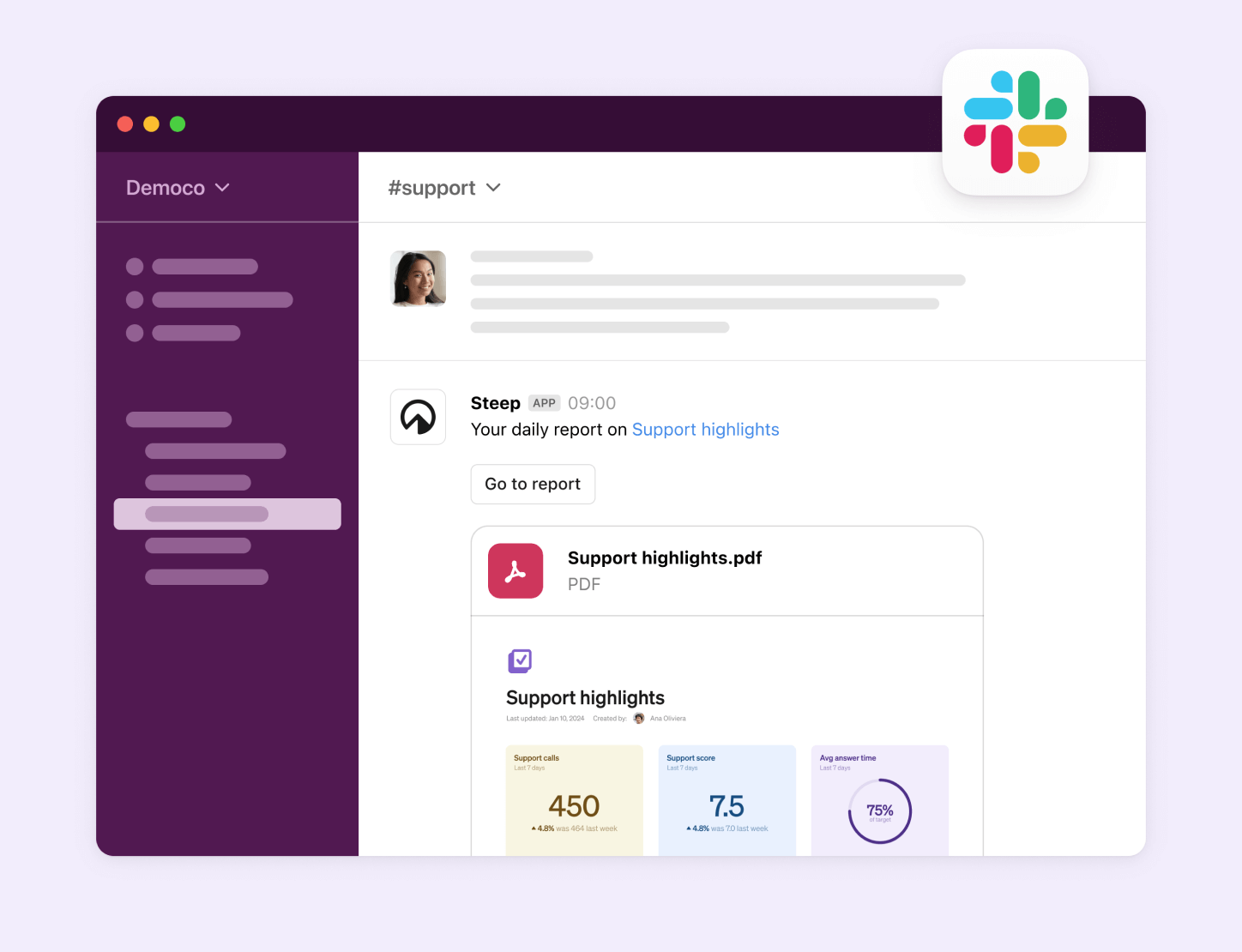
Boost engagement
Boost team engagement: Keep teams engaged with the data relevant to them, by delivering reports directly to where they’re collaborating on a daily basis. A direct link takes them to the report in Steep to dive deeper into data.
Skip the manual tasks: Schedule automated deliveries of your Steep reports to a Slack channel of your choice – and spare yourself the manual tasks.
Always in the loop: Set the frequency of your deliveries to daily, weekly, or monthly, ensuring that your team never misses those essential insights.
Straightforward insights: All team members (regardless of their data proficiency) can quickly view reports in an intuitive, digestible format.
Reports are Steep’s version of creating intuitive, collaborative dashboards. Learn more about reports in Steep →
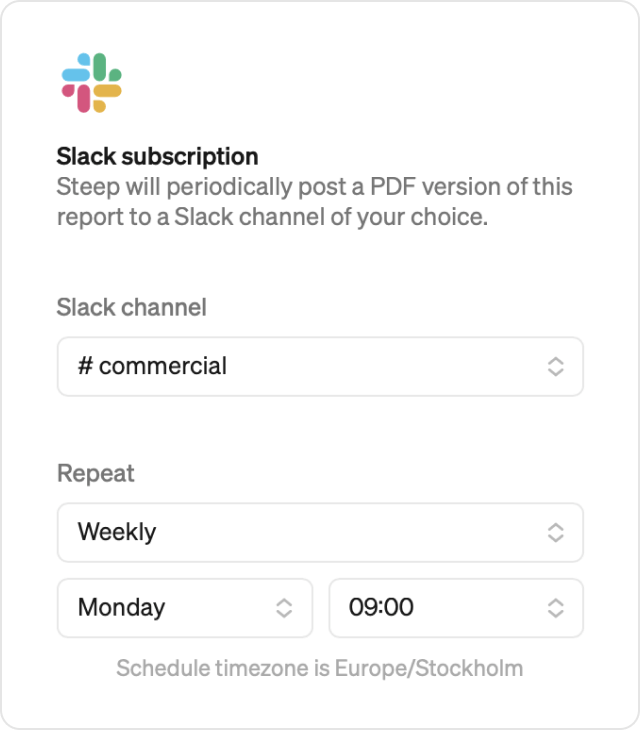
How it works
All members with access to a report in Steep can schedule a delivery to Slack.
- Connect Steep to your Slack workspace.
- Select a report in Steep and the Slack channel to which you want to deliver the report.
- Select frequency (daily, weekly, monthly), and the time of day for the delivery.
- Done!
Learn how to set up Slack subscriptions →
Steep is an alternative to traditional BI tools that simplifies data analysis for the entire organization. With seamless integrations like Slack subscriptions, you can easily streamline tasks and collaborate smoothly. We're here to help you work smarter, not harder.
Book a demo
Get help with exploring the platform and discussing use cases for your team.
Get started
Explore for free. Get your own workspace or try the demo setup.
More posts

Intro to Steep
By Janna Pollari·Events

Webinar with Daana
By Janna Pollari·Events

Meet us at Snowflake Summit 2026
By Deanne Anderson·Events

Introducing Steep AI
By Nino Höglund·Product

A builder's guide to the Steep API
By Hanna Kjellén·Inside Steep

New in Steep: API – Metrics power anything
By Nino Höglund·Product