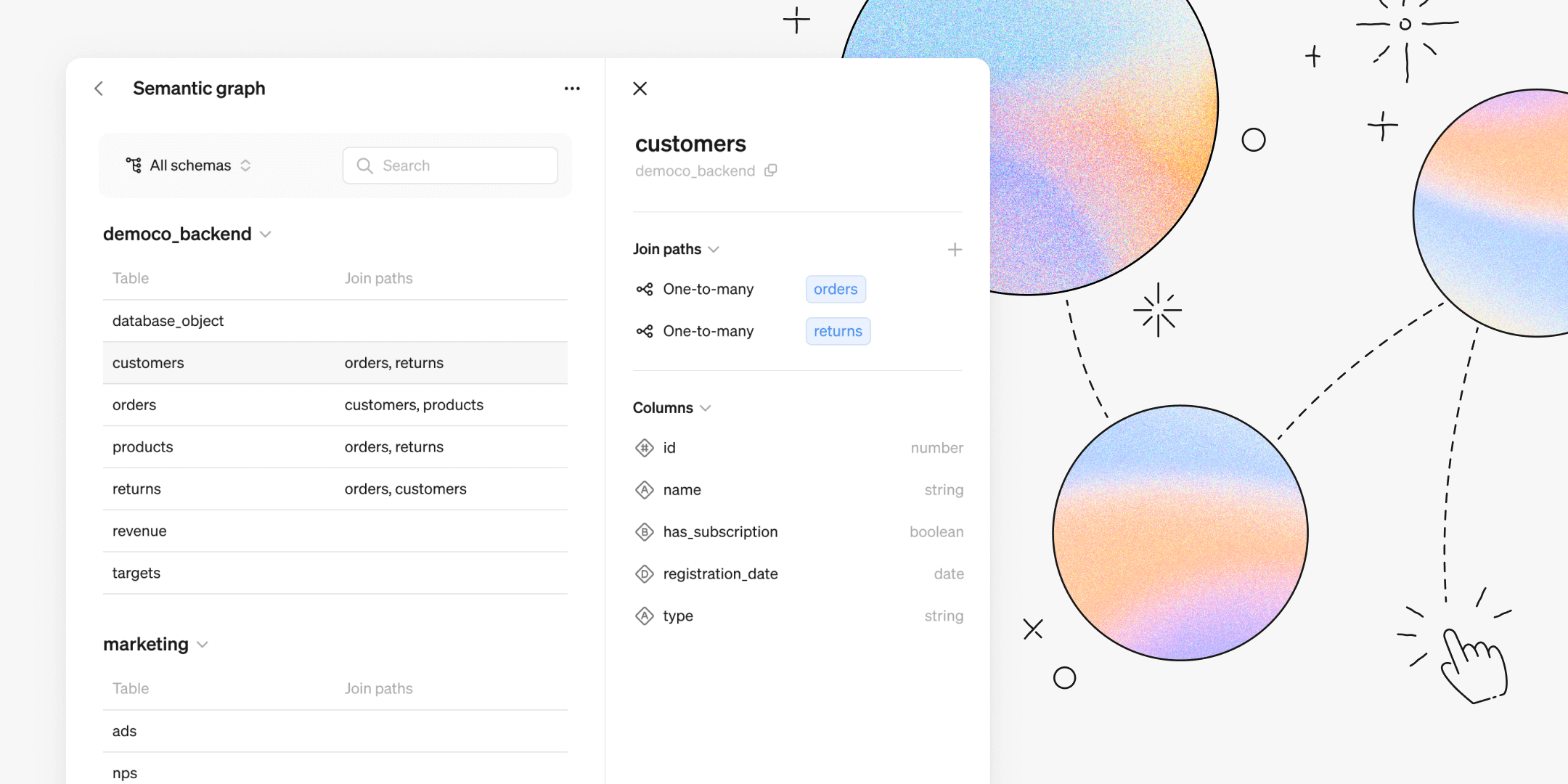
Steep’s Semantic Graph gives you a complete overview of your data tables and their relationships, making it easier than ever to define join paths between them.

These connections allow you to seamlessly combine data from multiple tables into a single metric, support drill-downs across different tables, and enable dynamic querying—ensuring you only fetch the data you need, saving time and cost.

Why it's a game-changer:
- Dynamic joins: Only necessary tables are queried with the semantic graph, making querying more time and cost-efficient.
- Powerful definitions: Define metrics and entities across multiple tables without relying on static joins.
- Scalability: Easily edit metrics, entities and the semantic graph as your business and database evolve.
How to create a join path
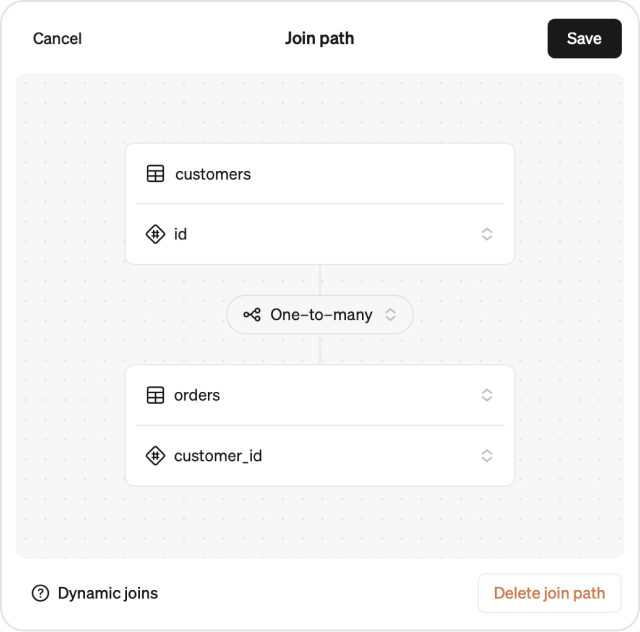
Join paths link tables through a shared data point.
- Go to Settings → Semantic Graph
- Select a table
- Click
+next to Join Path - Choose a column to join from
- Set the relationship type (one-to-one, one-to-many, or many-to-one)
- Select the table and column to join to
This creates a two-way connection. Steep can traverse the semantic graph to find tables two steps away from each other.
Learn more about semantic graph →
Get down to row-level
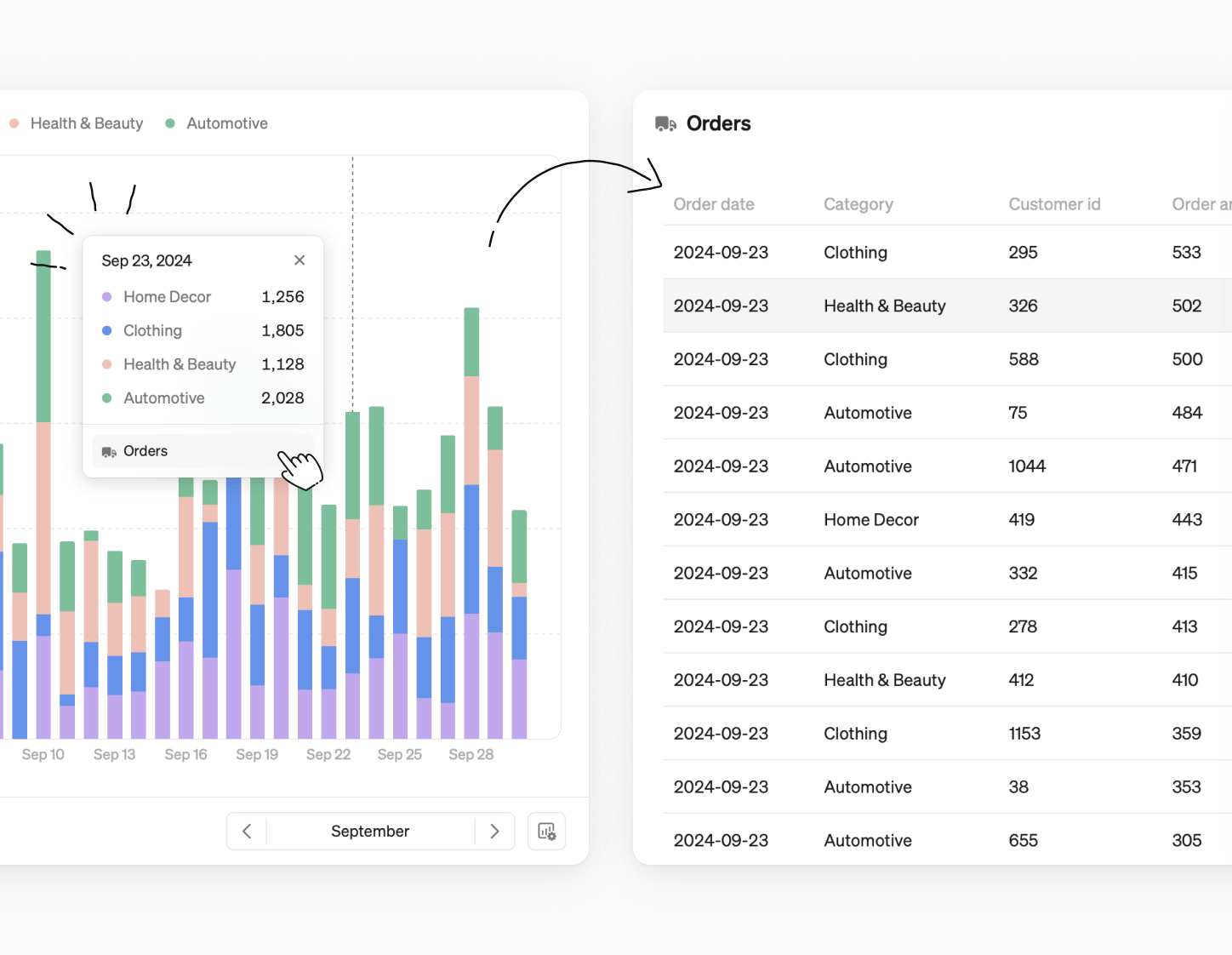
The semantic graph sets the foundation for creating entities in Steep, enabling you to drill down to row-level behind your metrics. Get seamless insights about your metrics, whether you're analyzing customer behavior, product performance, or order details—even if the data comes from different tables.
Book a demo
Get help with exploring the platform and discussing use cases for your team.
Get started
Explore for free. Get your own workspace or try the demo setup.
More posts

Intro to Steep
By Janna Pollari·Events

Webinar with Daana
By Janna Pollari·Events

Meet us at Snowflake Summit 2026
By Deanne Anderson·Events

Introducing Steep AI
By Nino Höglund·Product

A builder's guide to the Steep API
By Hanna Kjellén·Inside Steep

New in Steep: API – Metrics power anything
By Nino Höglund·Product