August 31, 2026
Add images and files to reports
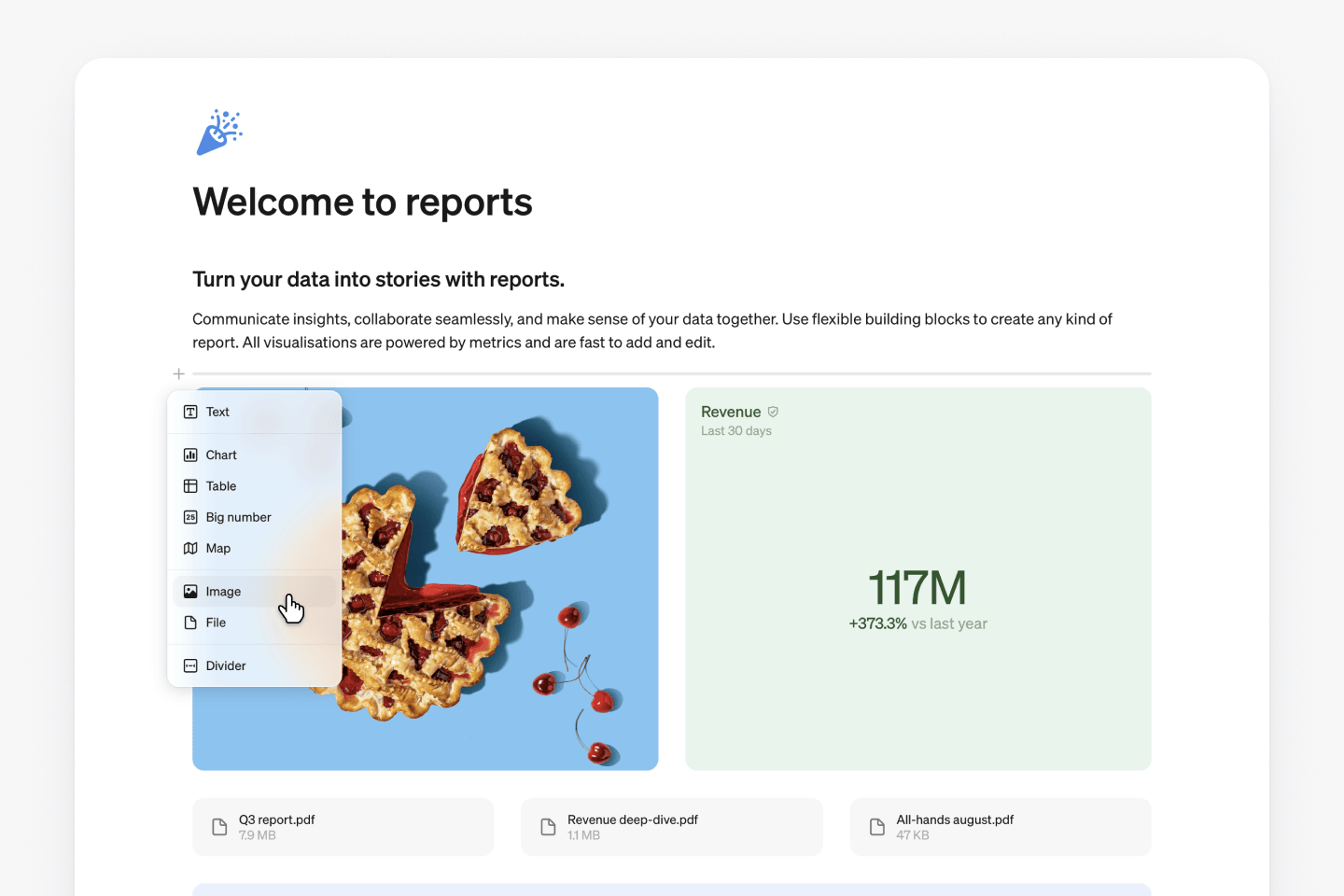
Add images and files to reports
Reports can now hold images and files alongside your existing blocks, so a screenshot, a mockup, or a supporting doc can live right in the report. Files can be dropped in directly or added as a block, and image blocks open full screen with the option to download. Free plans are capped at 10 MB per file; paid plans have no limit.
Upload files to Steep AI
You can now add images, PDFs, and text files as context for Steep AI, dropped in directly or added from the + button, one at a time or several together. Available on the United States model.
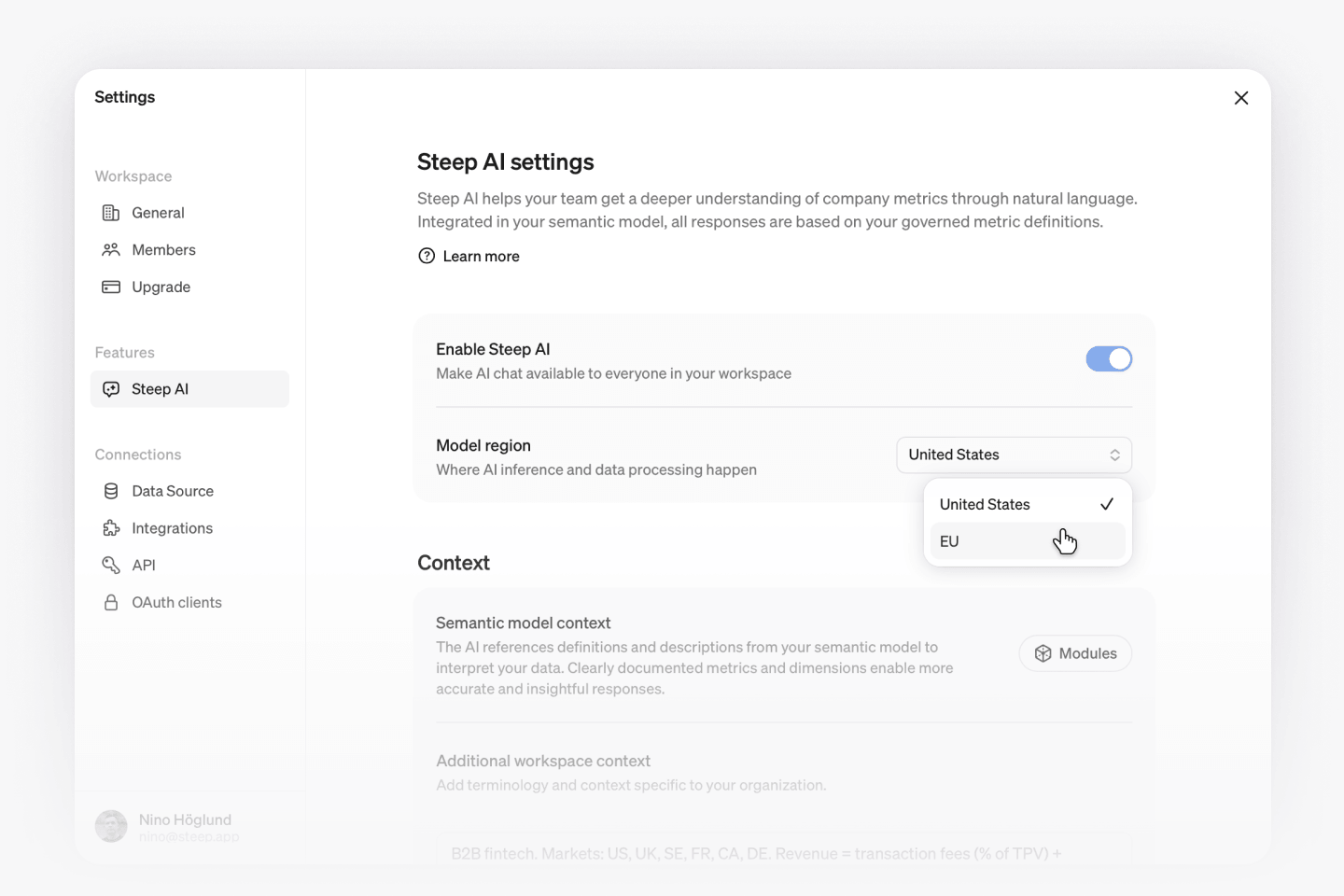
Choose your AI model region
Workspaces can now choose where their AI processing runs, United States or EU, and can update this at any time. The model itself is the same regardless of location.